Guide: v0
Client edits on a v0 site, without a v0 seat.
v0 builds the site, Vercel hosts it, and the client wants to fix a sentence. v0 has no simple client role for that, and a v0 chat can rewrite whole components. Here is the handover that gives the client the small edits and keeps v0 for you.
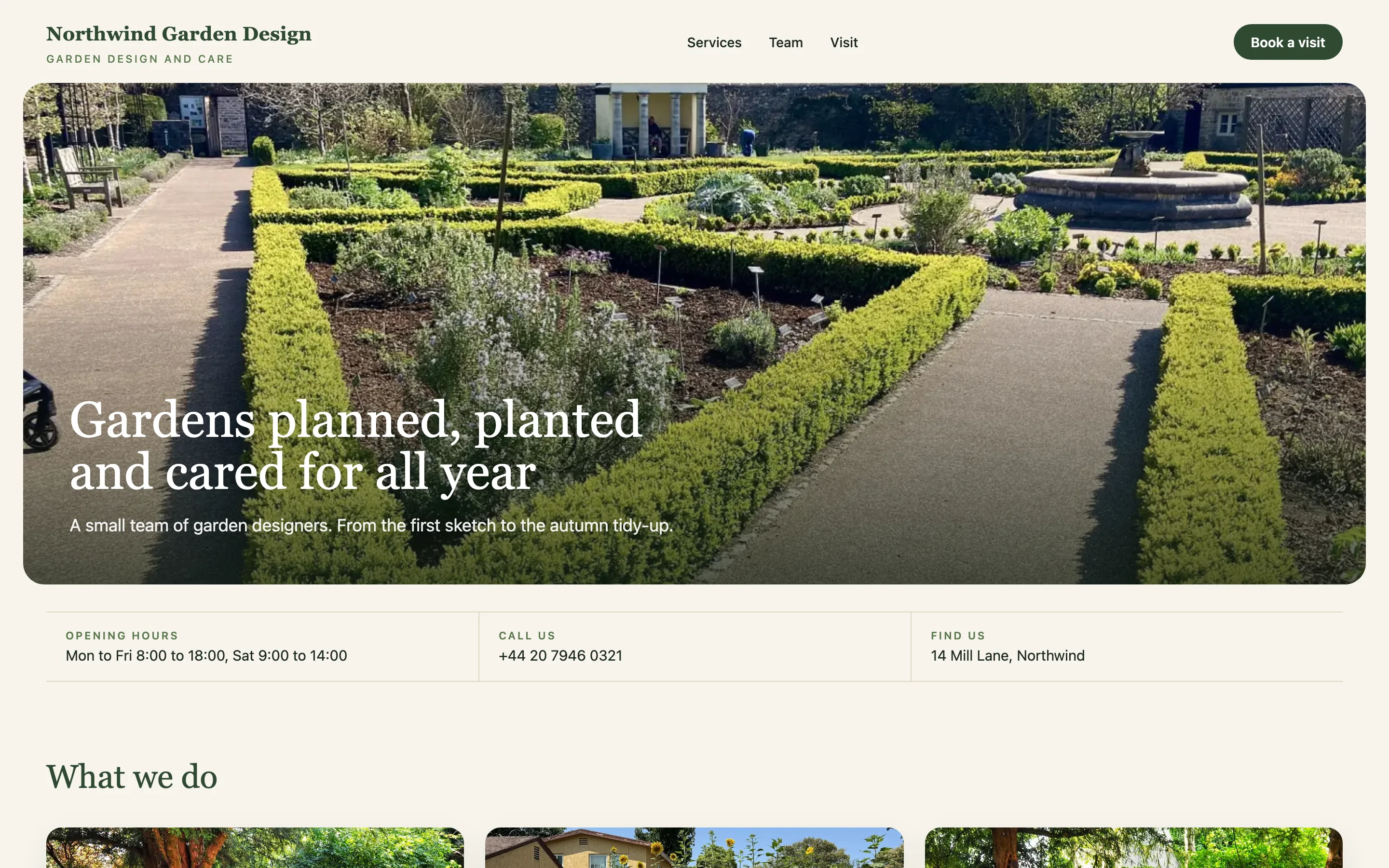
The short answer
v0 handover in short.
Connect the v0 chat to a GitHub repository; from then on the repository is the source of truth and Vercel deploys main.
v0 has no editing role for clients, so do not share the v0 project: give the client a CMS Chat login on that repository instead.
The client changes texts, prices and photos by asking, each change is a commit on main, and new sections or features come back to you as requests.
The handover problem
What actually breaks when you hand over a v0 site.
No client role in v0
v0 is a builder for you, not an editor for your client. There is no seat that only changes words, and Vercel has logged client access as a feature request, not a feature.
v0 works on its own branch
When a chat is connected to GitHub, v0 works on a branch off main and reaches main through a pull request. Client edits land on main, so merge v0's branches regularly to keep both in step.
Who owns the Vercel project
The v0 project, the GitHub repository, the Vercel project and the domain can live in your team. Decide what moves to the client and what stays with you before they start editing.
Generated components hold the text
v0 writes text straight into components and arrays. That edits fine by asking, but it is invisible to a classic CMS without rebuilding the site around a content model.
Before you hand over
The checklist. Ten minutes now saves the support mail.
- The v0 chat is connected to a GitHub repository and the latest work is merged into main
- Vercel deploys main on every push
- You know whose team owns the Vercel project and the domain
- Texts the client will change are plain strings in components or a data file
- Environment variables are documented outside v0 and Vercel
Step by step
From v0 project to a client who edits.
The connect part takes about 3 minutes once the code is on GitHub. Inviting the client and the first change take another ten.
- 01
Connect the v0 project to GitHub
In v0, open the Git section of the project and connect it, creating a new repository or linking an existing one. v0 then works on a branch off main; open and merge its pull request so main has the finished site.
- 02
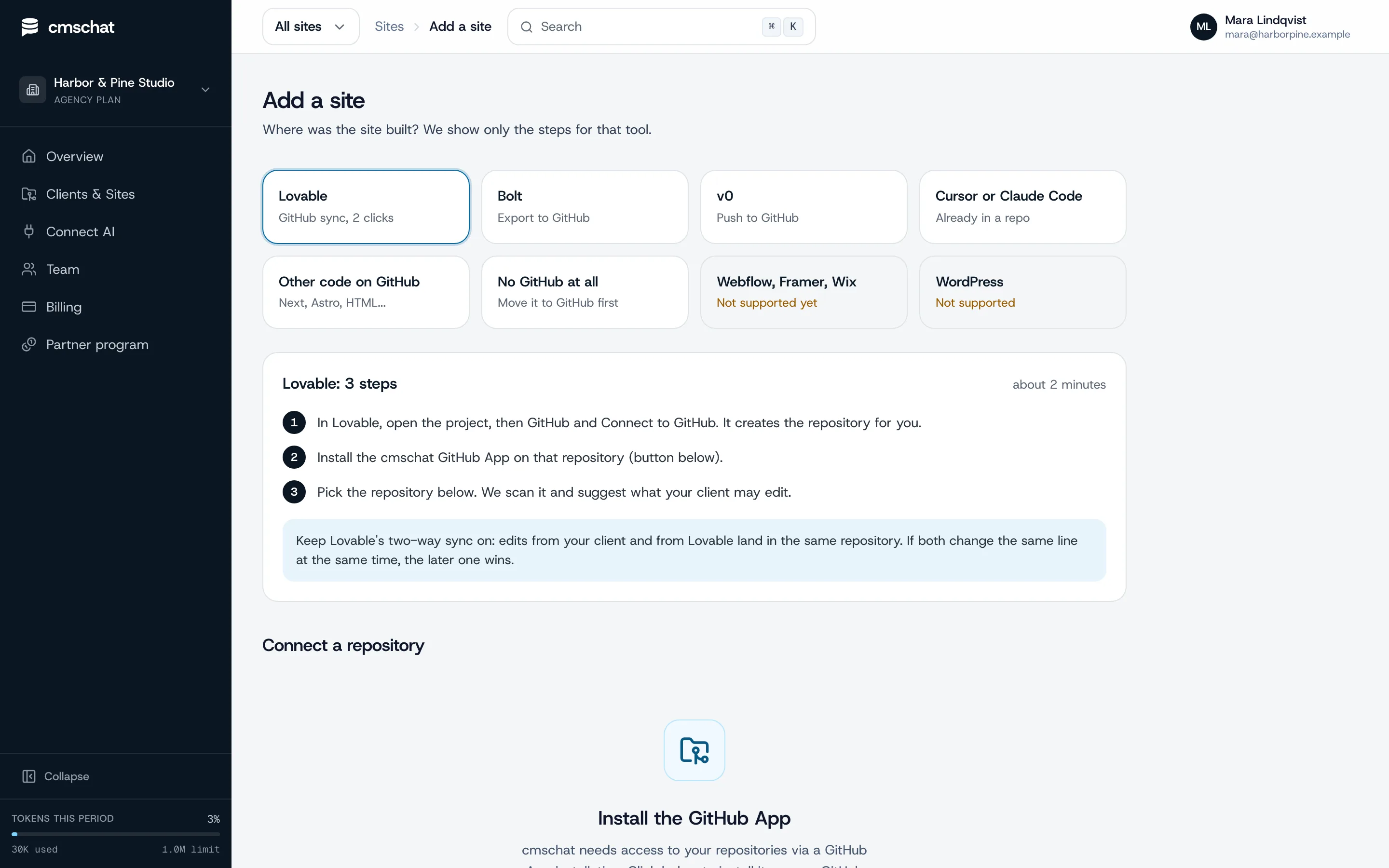
Install the CMS Chat GitHub App on that one repository
In CMS Chat, open Add a site and pick “v0”: you see only the steps for that tool. Then install the GitHub App on the site's repository only. It can read that repository, write to it and open pull requests on it. Nothing else in the account.
- 03
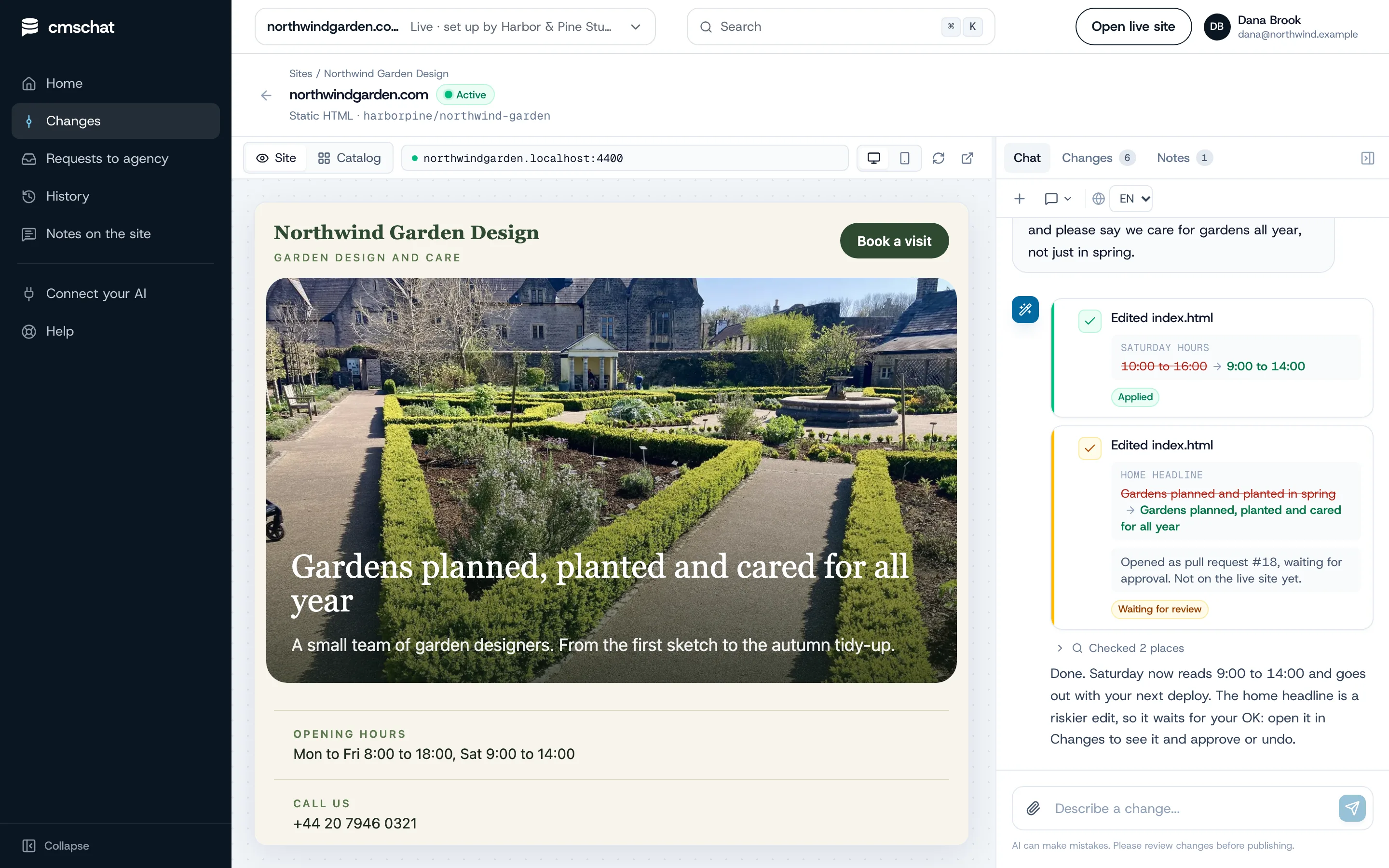
Pick the repository and check what is editable
CMS Chat scans the repository, detects how the site is built and suggests what the client may edit: texts, prices, photos, opening hours. Page titles and headings ask before they change. Layout and code stay locked.
- 04
Invite your client
Add the client under Clients and Sites, assign the site and send the invite link. Your client gets a login that shows their site and nothing else: no agency dashboard, no other clients, no settings to break.
- 05
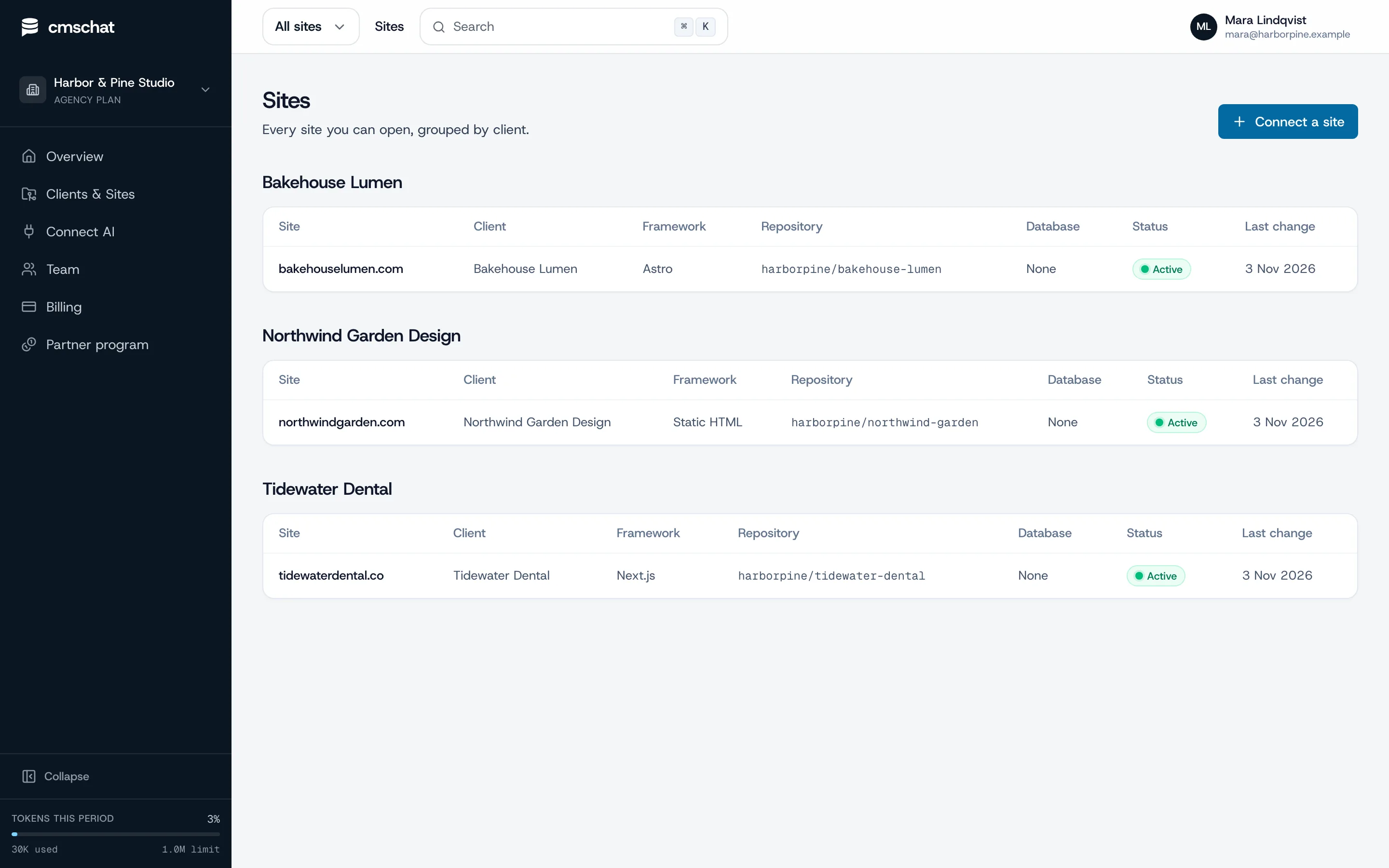
Make the first change together
Ask for one small change while your client watches, for example “Saturday we are open 9 to 14”. They see before and after, the change is committed to the repository, and riskier edits wait for an OK.
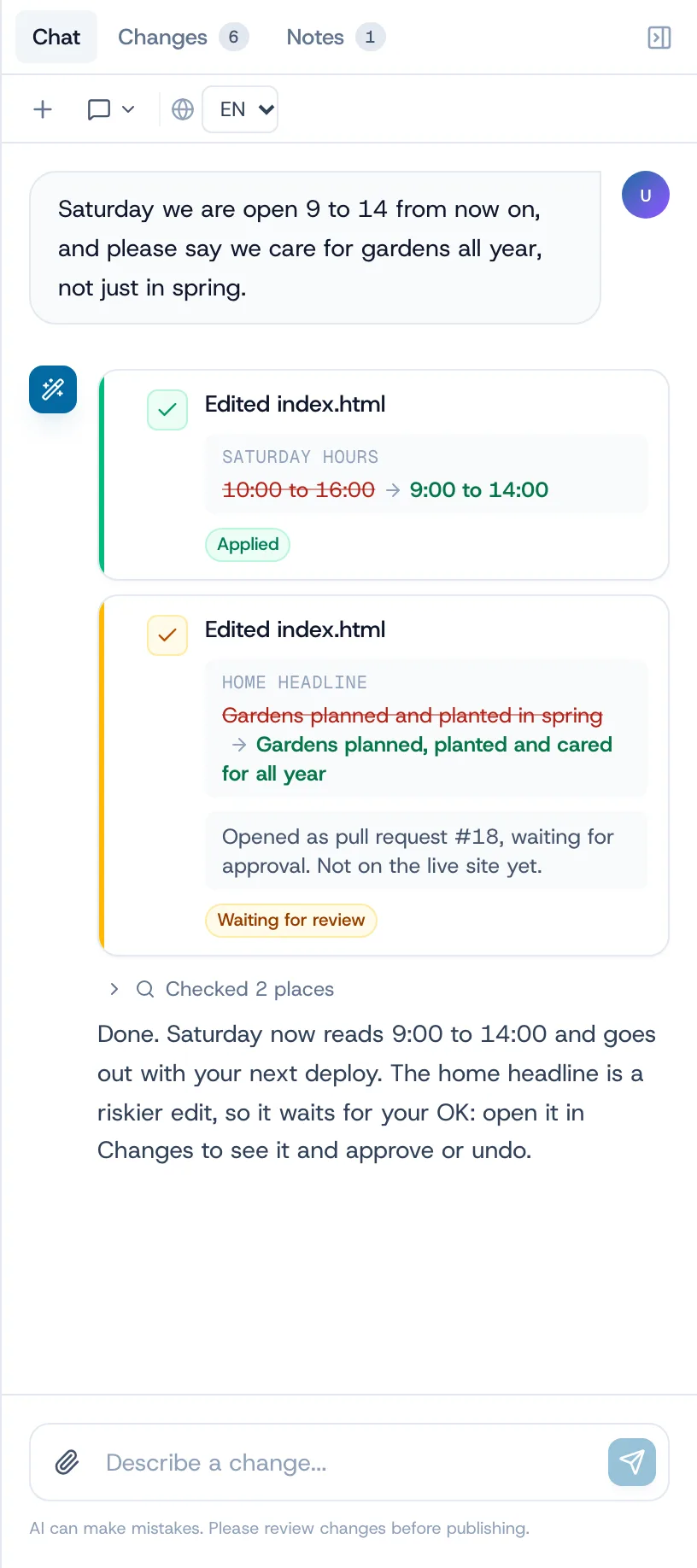
How a change goes live on a v0 site
CMS Chat commits to main and Vercel deploys it like any push, with the deploy status in the change list. Your next v0 work starts from that main, so the client's edits are in it.
Small fix or agency job
Where the line sits after the handover.
The client handles the small edits on their own plan. Everything that changes how the site works or looks stays with you, as a request you can quote.
Your client, alone, in a sentence
- Headlines, paragraphs, button texts
- Prices and plan cards
- Photos and logos in the content
- Opening hours, contact details
- FAQ answers
Your agency, quoted and built
- New pages and sections generated in v0
- Component and layout changes
- Forms, auth, payments, APIs
- A redesign
- Dependencies and config
What your client sees
One box to ask. One list to undo.
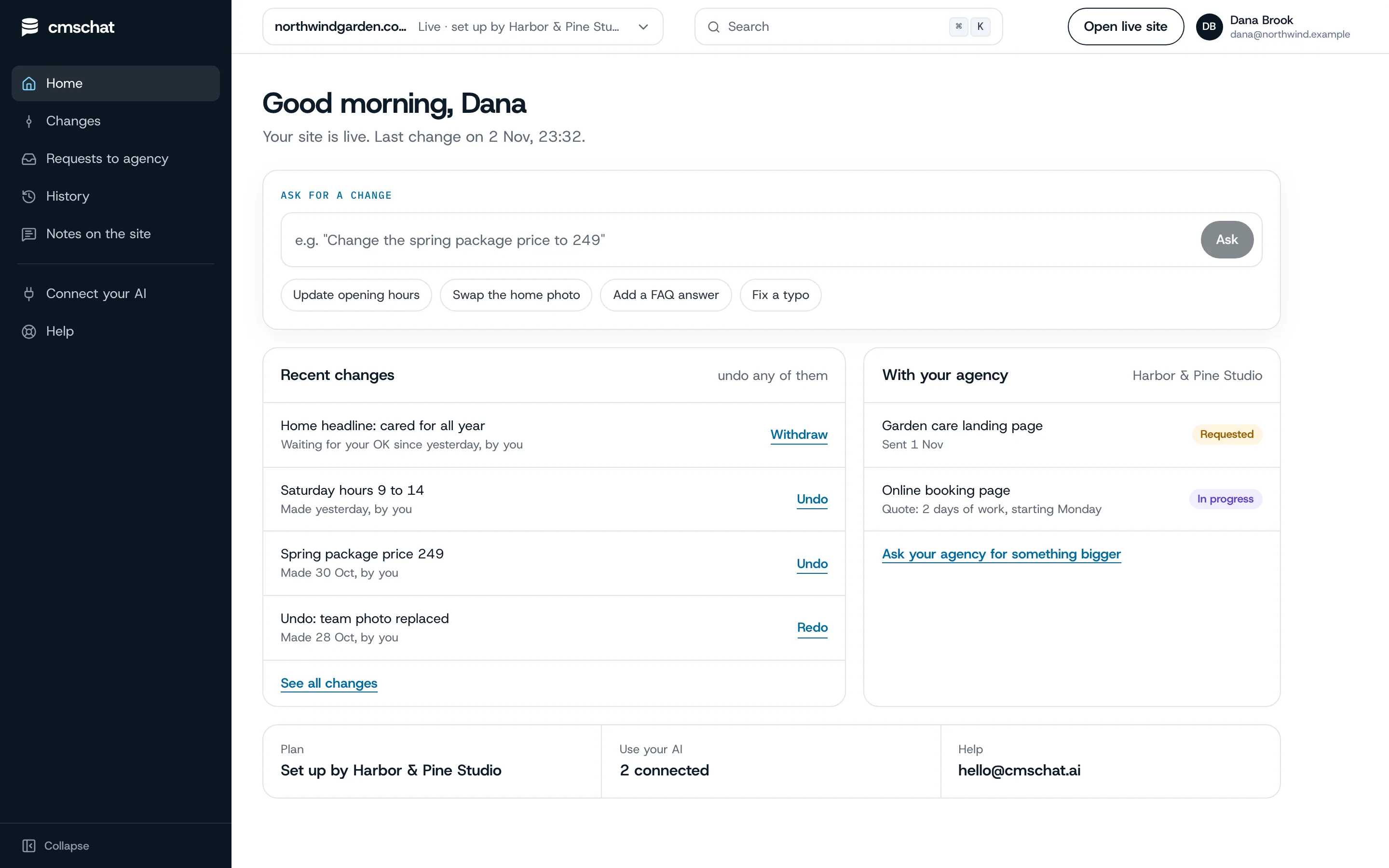
Your client opens their home, types the change, and sees it in their list of recent changes with an undo. Bigger asks go to you from the same screen.
- Their own login, their site only
- Every change in their history, with an undo
- “Ask your agency for something bigger” on the same page
What you see
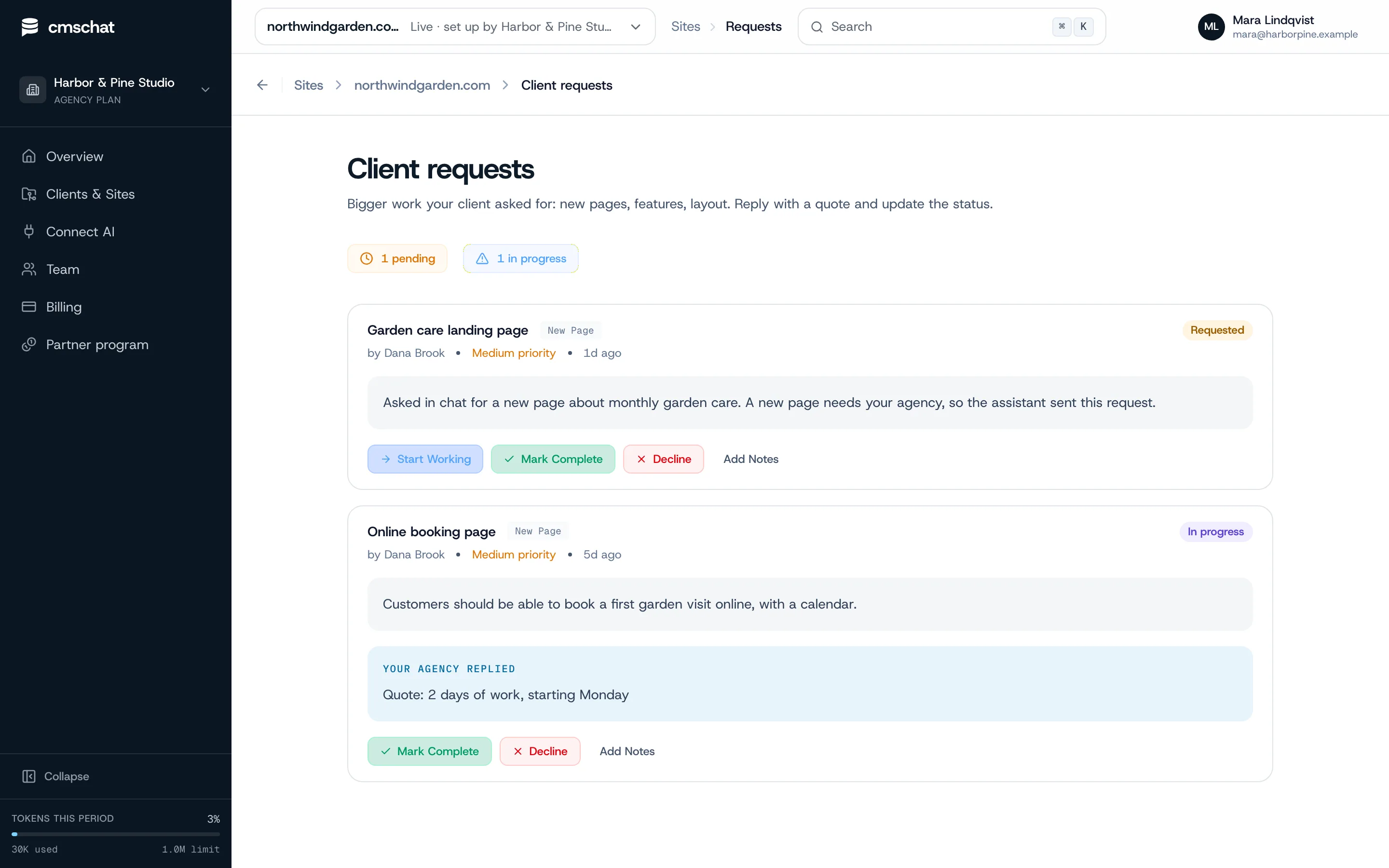
Bigger asks arrive as requests. Ready to quote.
When your client asks for a new page or a booking form, the request lands with you, in their words. You reply with a quote and update the status.
v0 specifics
What goes wrong and how to avoid it.
Unmerged v0 branches
If a v0 branch stays open for weeks while the client edits main, the merge gets harder. Merge v0 work in small pieces.
Regenerating a component
Asking v0 to regenerate a section can bring back old text. Pull the latest main into your v0 work first, then generate.
shadcn/ui and Tailwind classes
Generated components carry long class lists. Those stay locked; the client only touches the strings between the tags.
Metadata and headings
Titles, descriptions and H1/H2 are SEO-critical. The client sees a plain-language warning before changing them.
Data in arrays
Pricing cards and feature lists often live in arrays at the top of a component. Moving them into a small data file makes them easier to find and edit.
Who pays for what
Clear money, no awkward invoices.
Your client’s editing
Your client picks a plan from the public price list and pays CMS Chat directly, from EUR 29 / month incl. VAT. Same price with or without an agency.
The AI
Your own ChatGPT or Claude: not metered by us. Built-in assistant: a monthly allowance that resets each month.
Your bigger work
New pages, features and redesigns stay between you and your client, quoted and invoiced by you as before.
Questions
v0 handover, asked before
Anything missing: write to hello@cmschat.ai and a person replies.
Can my client edit a v0 site without a v0 account?
Does v0 have a client editing mode?
Will my next v0 changes overwrite my client's edits?
Does the client need access to my Vercel team?
Who pays for the client's editing?
Is CMS Chat affiliated with v0 or Vercel?
Other builders
Building sites for clients? See how CMS Chat works for agencies.
Hand it over. Keep the big work.
Connect the repository, invite your client, make the first change together.
month to monthundo any changecode stays in your GitHub
Prefer to see it first? Ask for a walkthrough