NewEdit your site from ChatGPT or Claude. Same rules as the built-in assistant.See how

For agencies

Build sites your clients can edit.

Hand over a site your client edits by chatting with AI. With CMS Chat they fix their own texts, prices, photos and opening hours; layout and code stay locked. The bigger work still comes to you, as requests you can quote.

Code stays in your GitHubEvery change can be undoneBigger asks arrive as requests
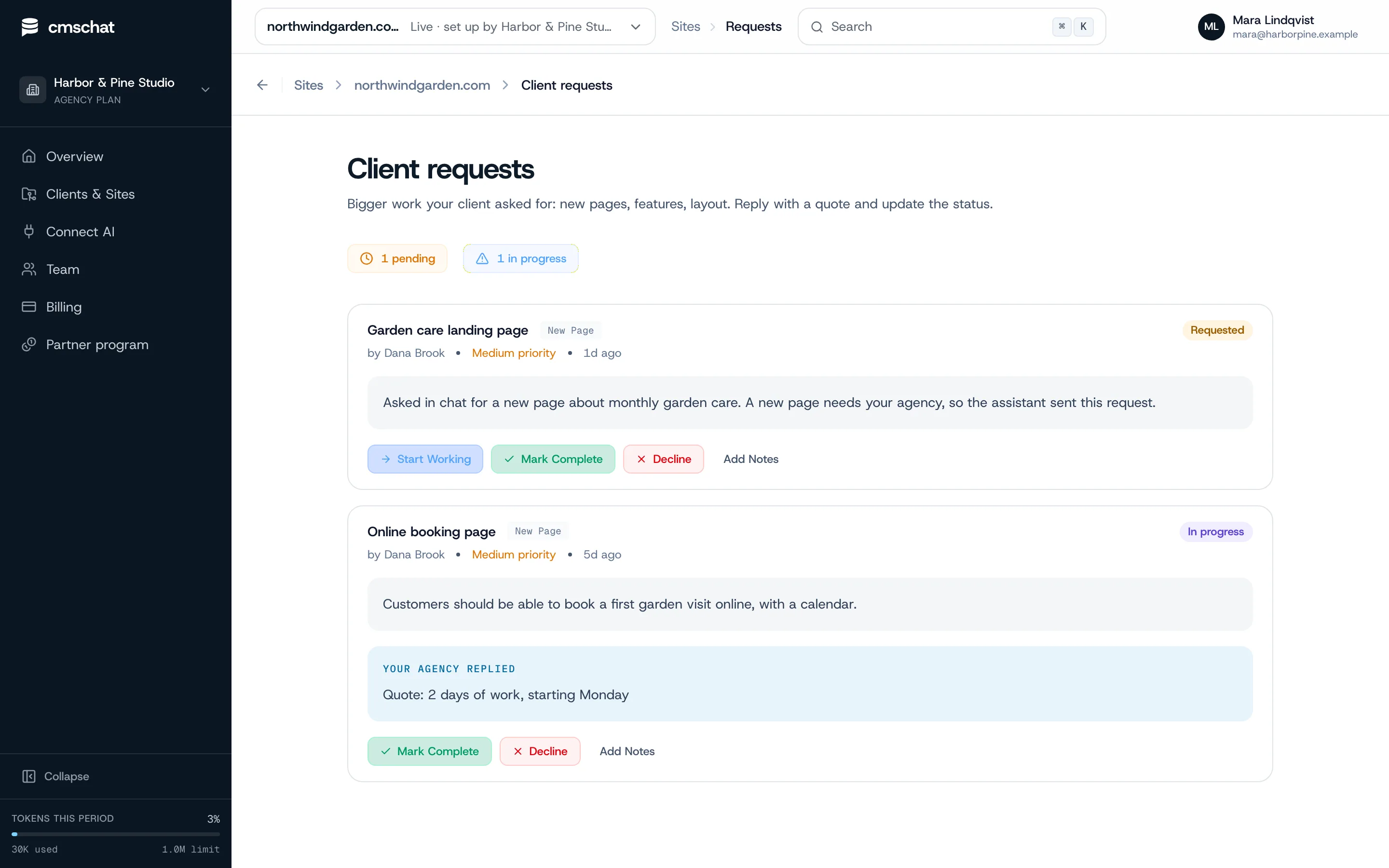
cmschat.ai/overview
The agency overview in CMS Chat: client sites, chat sessions and changes waiting for approval.

Works with

  • Lovable
  • v0
  • Replit
  • Cursor
  • Claude Code
  • Windsurf
  • GitHub Copilot
  • Bolt
  • Next.js
  • Astro
  • Hugo
  • Eleventy
  • Gatsby
  • Remix
  • Plain HTML
  • React
  • Vite
  • Nuxt
  • Svelte
  • GitHub
  • Vercel
  • Netlify
  • Cloudflare Pages

Sound familiar?

Stop being your clients' human CMS.

A client writes: the phone number on the contact page is wrong. The ticket waits three days behind the work you are actually paid for. The fix takes 30 seconds. Invoicing it costs more goodwill than it earns, so you don’t, and next week there is another one.

Multiply that by every site you have handed over. The small edits never pay, and they interrupt the projects that do.

Stop taking tickets for typos. Your clients make the small changes themselves, inside the parts you allow, and you keep the work worth quoting.

The handover

From finished site to client-editable. In an afternoon.

  1. Install the GitHub App

    On the repositories you choose. Any site whose code is on GitHub.

    repo connected
  2. Scan and review once

    CMS Chat detects the framework, builds the site map and proposes the editable zones. You adjust, once.

    zones set
  3. Hand over the chat

    Invite your client. Their portal link is scoped to that one site; they change texts, prices, photos and hours.

    client invited
  4. Bigger asks come to you

    New pages, forms or a redesign arrive as a request you can quote.
    request in your inbox
Layout and code stay lockedEvery change has an undoYou see every change
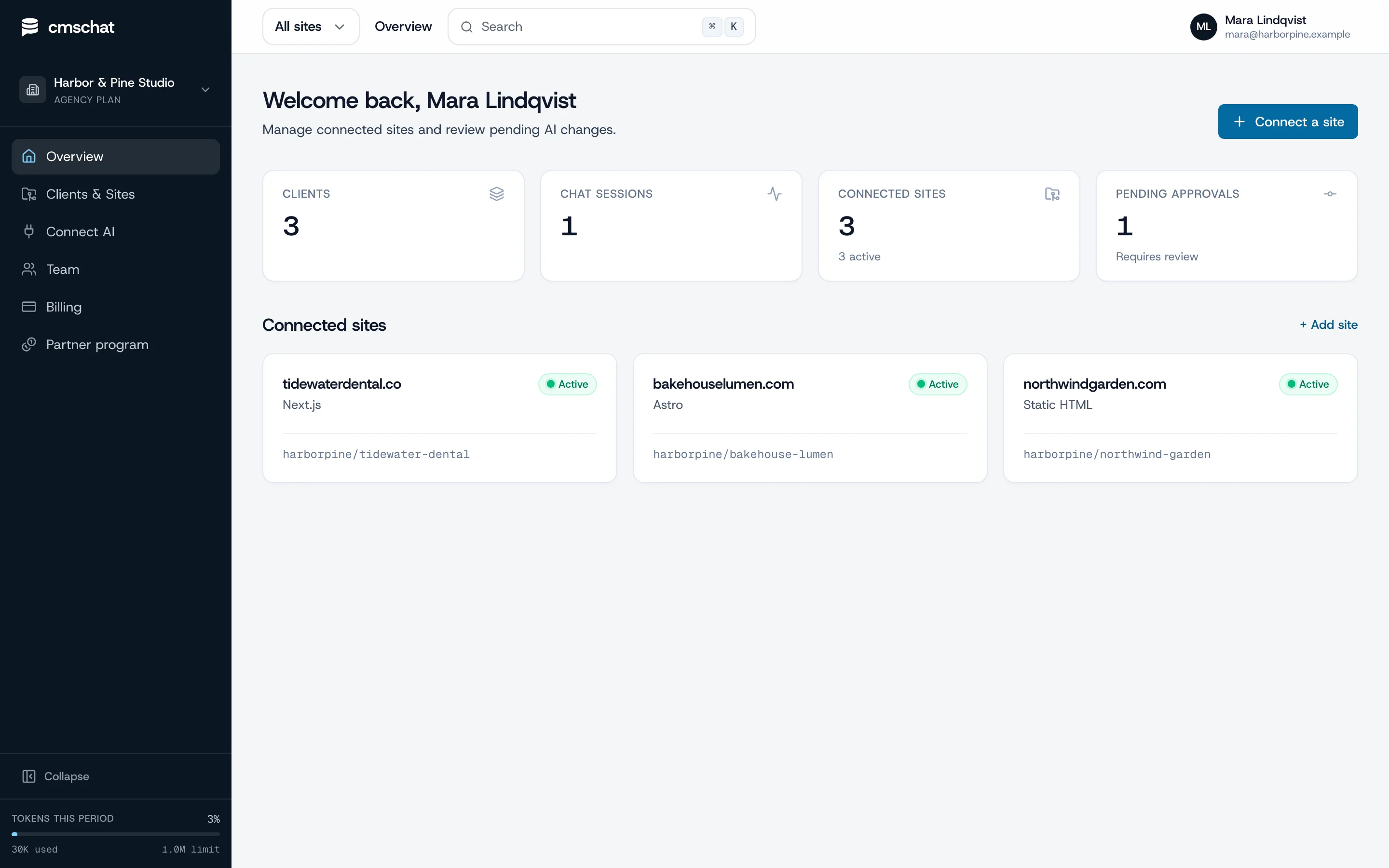
cmschat.ai/sites/new
Add a site: pick where the site was built, here Lovable, and follow its three steps.
Add a site: pick the builder, follow its steps.
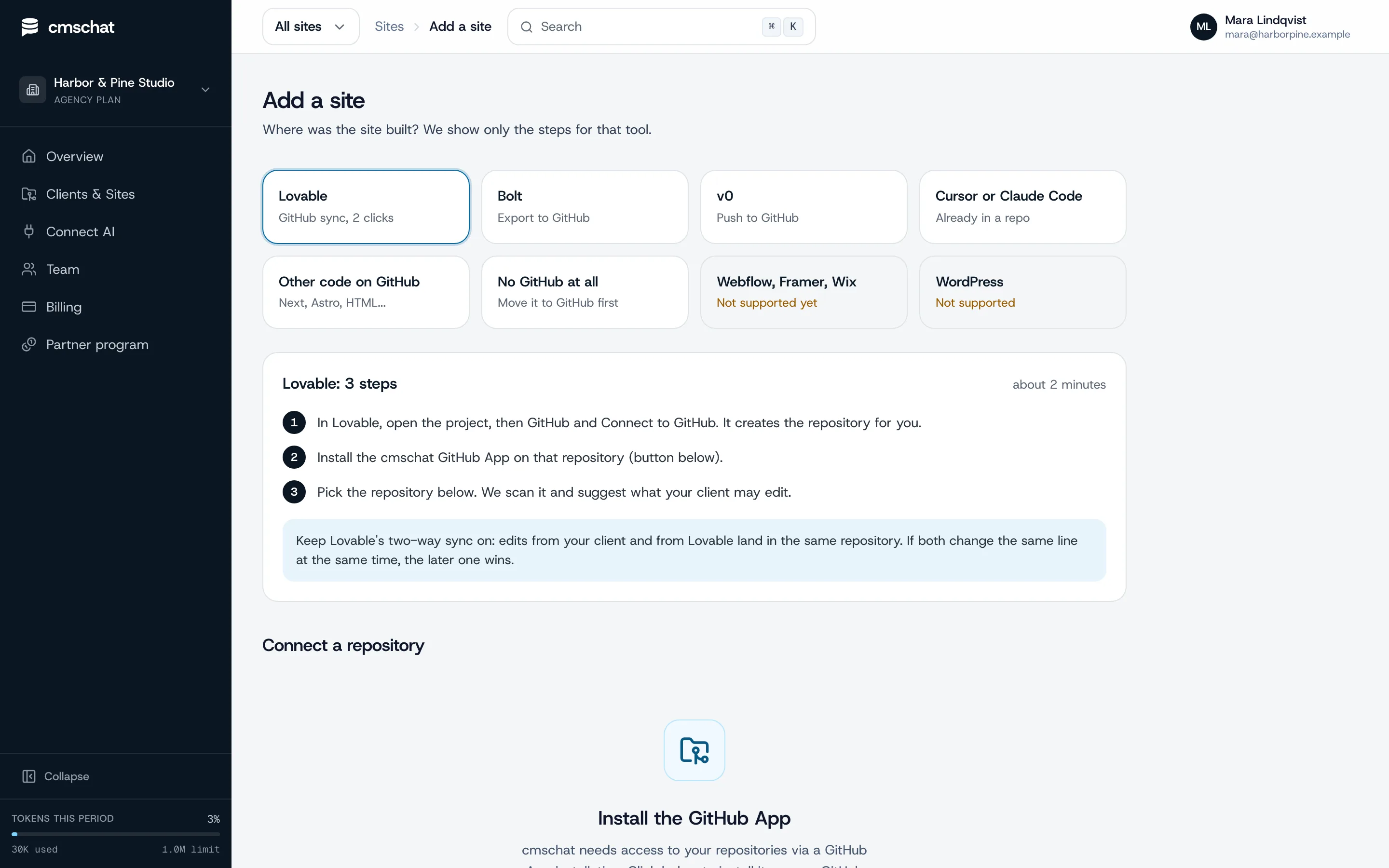
cmschat.ai/sites/northwindgarden.com/requests
Client requests: a new page the assistant passed on, and a quoted booking page in progress.
Bigger asks arrive as requests you can quote.

Plain Git, your repository

Every client edit is a commit. You can read every one.

Your client’s changes land as plain Git commits in your repository, under their name. No shadow copy, no export when you leave.

  • Full history in GitHub, with an undo for each change in CMS Chat
  • Riskier edits arrive as a pull request you approve or reject
  • Your team keeps committing straight to GitHub; CMS Chat reads the repository fresh after every push
  • The client cancels, the commits stay in your repository
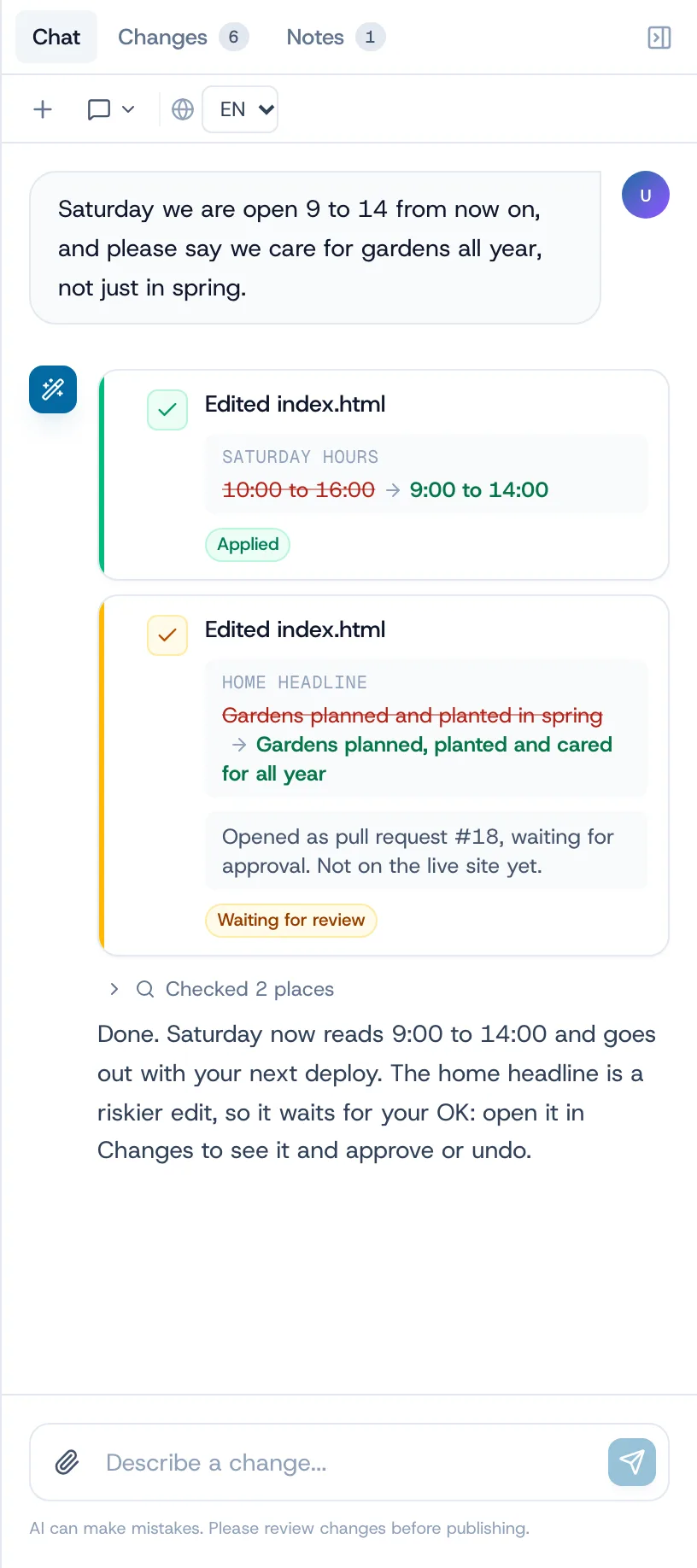
A client change in CMS Chat: Saturday hours applied as a commit, the home headline opened as pull request #18 waiting for approval.
One change committed, one waiting as a pull request. Demo data, fictional business.

Questions from agencies

Before you hand over a site

Create an agency account
Can my agency hand off a CMS that clients can edit by chatting with AI?
Yes. With CMS Chat you connect the site's GitHub repository once, decide which parts the client may change and invite them. The client then edits texts, prices, photos and opening hours by chatting, in CMS Chat or from their own ChatGPT or Claude. Layout and code stay locked, riskier edits wait for an OK, and new pages or features come back to you as a request.
How are agencies handing off AI-built sites so clients can maintain them?
Sites built in Lovable, Bolt, v0, Cursor or Claude Code usually end up as code in a GitHub repository, with no CMS behind them. Instead of bolting a headless CMS on afterwards, agencies connect that repository to CMS Chat: the client keeps the site current by asking, and every edit is a plain Git commit the agency can read. Our guides walk through the handover per builder.
Do I have to rebuild the site around a CMS first?
No. CMS Chat works on the site as it is: it scans the repository, maps where each text lives and proposes the editable zones. There is no content model to design and no migration.
Which sites can I hand over?
Sites whose code lives in a GitHub repository: Next.js, Astro, plain HTML and similar, including sites built in Lovable, Bolt or v0 once they are on GitHub. WordPress is not supported yet.
Can my client break the layout?
Layout, code and page structure stay locked. Riskier edits, like page titles or headings, wait for an OK first, and every change can be undone.
Who pays for my client's editing?
Your client picks a plan on the public price list and pays CMS Chat directly, at the same price as everyone else. The bigger work they ask you for stays between you and them.
Do I keep access to the site?
Yes. You stay on the site, see every change your client makes, and get their requests for bigger work in one place.

Building many client sites? Read about the partner program.

Stop taking tickets for typos.

Connect a client site, lock what matters, hand over the chat. The bigger work still comes to you.

code stays in your GitHubevery change can be undonebigger asks arrive as requests

Prefer to see it first? Ask for a walkthrough