Guide: Astro
An Astro CMS for clients that is just asking.
Astro sites are fast because the content sits in components, Markdown and content collections. That is great for you and a wall for a client who wants to change a price. Here are your options, and the handover that skips the admin panel.
The short answer
Astro handover in short.
You can let clients edit an Astro site in three ways: a Git-based CMS such as Decap, TinaCMS or CloudCannon, a headless CMS such as Sanity or Storyblok, or a chat editor that edits the repository directly.
The first two need a schema or content model and often moving text out of components; the client then learns an admin screen.
With CMS Chat you connect the Astro repository as it is: the client asks for the change, it becomes a commit, and your host builds the site as usual.
The handover problem
What actually breaks when you hand over an Astro site.
Text lives in .astro files
Headlines, prices and opening hours often sit inside components, not in Markdown. A Markdown-only CMS cannot see them until you move every string into content files.
A CMS means a content model
Git-based and headless CMSs need you to describe every editable field. That is real work for a five-page site, and it has to follow every redesign.
Builds and hosting
Astro sites usually build on Netlify, Vercel or Cloudflare Pages from GitHub. Whatever edits the content must commit to the branch the host builds, or nothing goes live.
Who owns the repository
If the repository sits in your agency's GitHub, decide whether it stays there. The client's editing works either way, but the answer belongs in the handover agreement.
Before you hand over
The checklist. Ten minutes now saves the support mail.
- The site's code is in a GitHub repository and the host builds from main
- Content collections, Markdown and JSON content are in the repository, not only in an external service
- Strings the client changes often are plain text, not inside images or SVGs
- The build passes on a fresh clone, so a content commit cannot surprise you
- The domain and hosting account are agreed: yours or the client's
Step by step
From Astro project to a client who edits.
The connect part takes about 2 minutes once the code is on GitHub. Inviting the client and the first change take another ten.
- 01
Make sure the Astro project is on GitHub
If the site is already deployed from GitHub, there is nothing to do. If it lives only on your machine, push it to a new repository (git push) and connect your host to it.
- 02
Install the CMS Chat GitHub App on that one repository
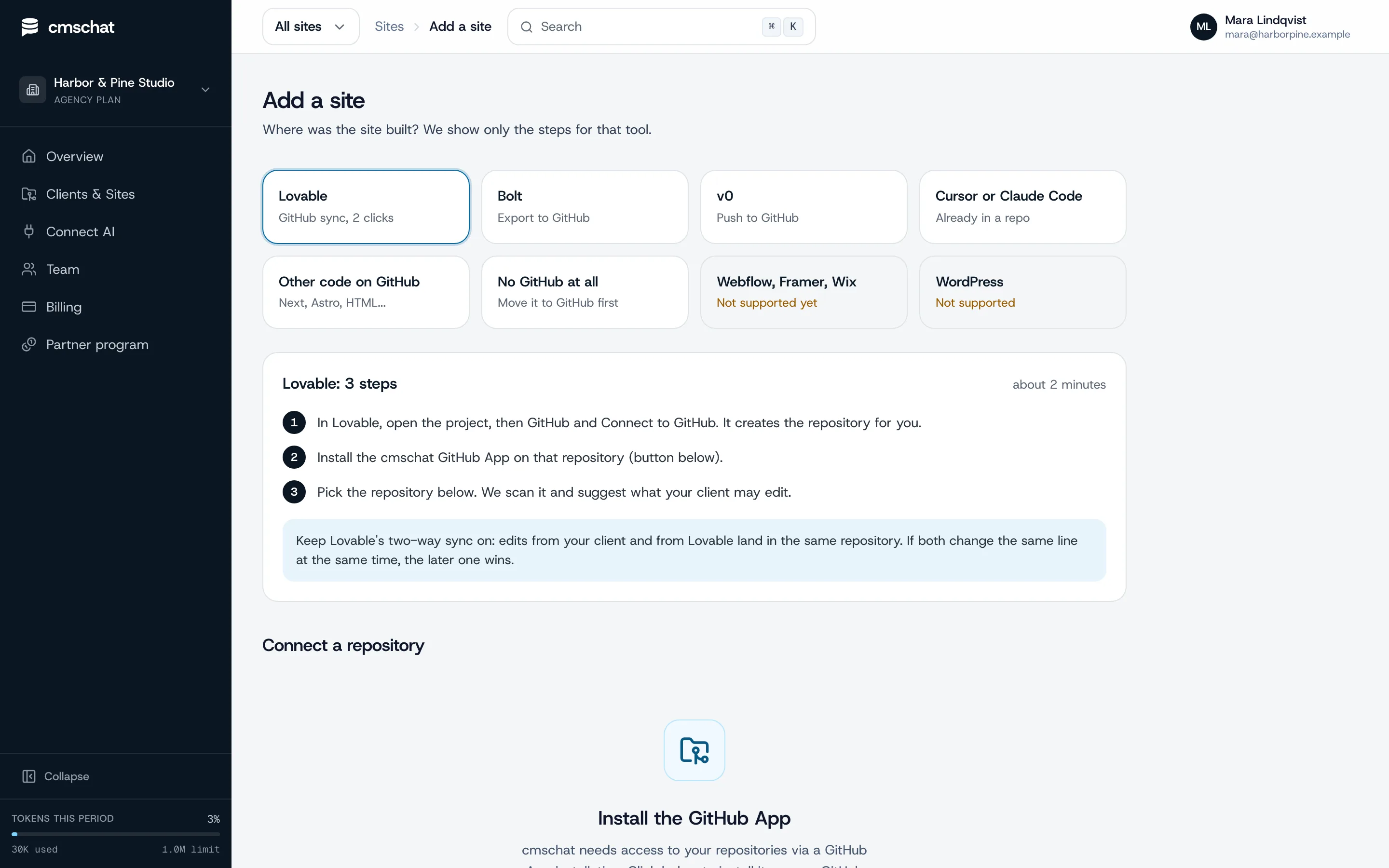
In CMS Chat, open Add a site and pick “Other code on GitHub”: you see only the steps for that tool. Then install the GitHub App on the site's repository only. It can read that repository, write to it and open pull requests on it. Nothing else in the account.
- 03
Pick the repository and check what is editable
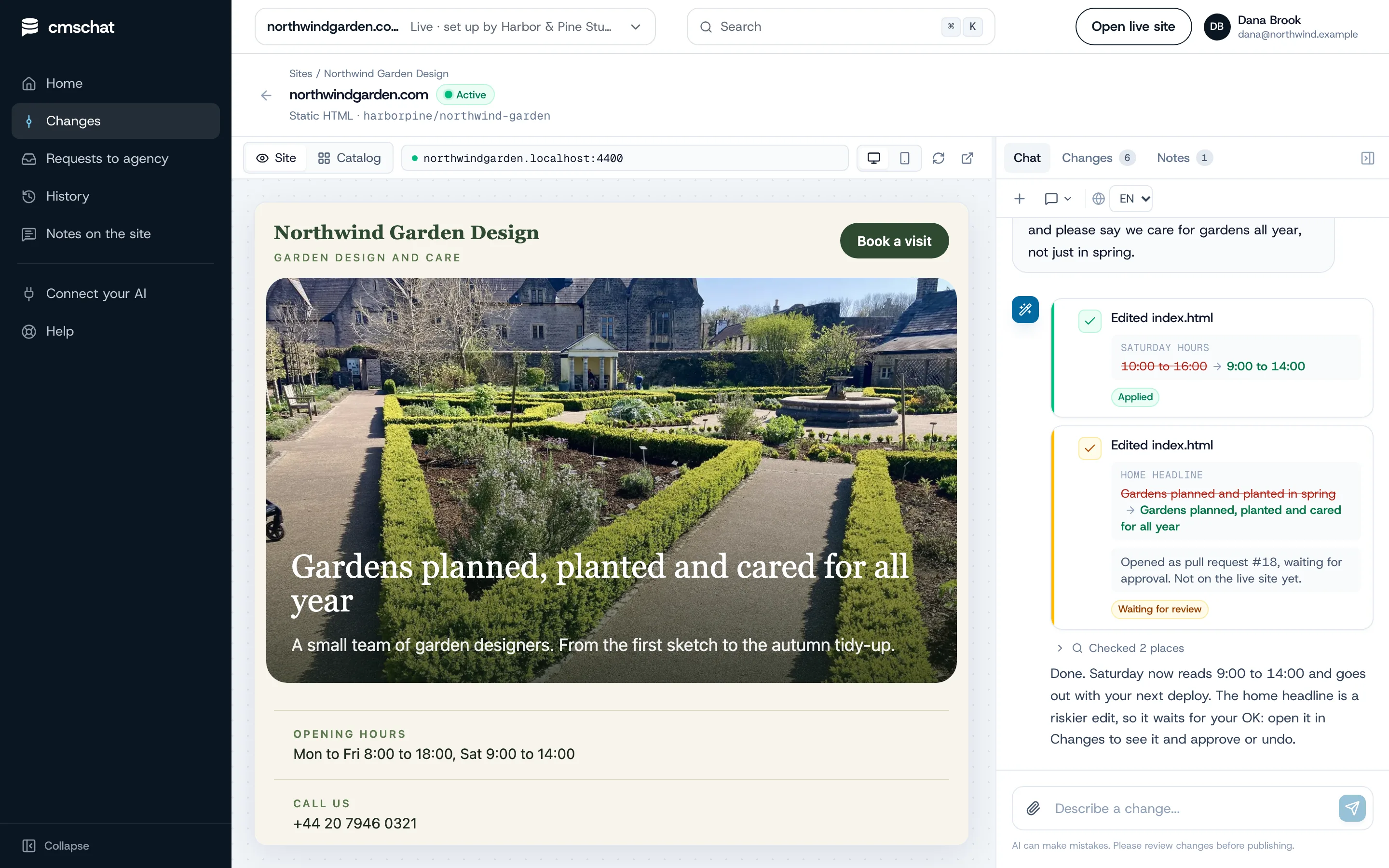
CMS Chat scans the repository, detects how the site is built and suggests what the client may edit: texts, prices, photos, opening hours. Page titles and headings ask before they change. Layout and code stay locked.
- 04
Invite your client
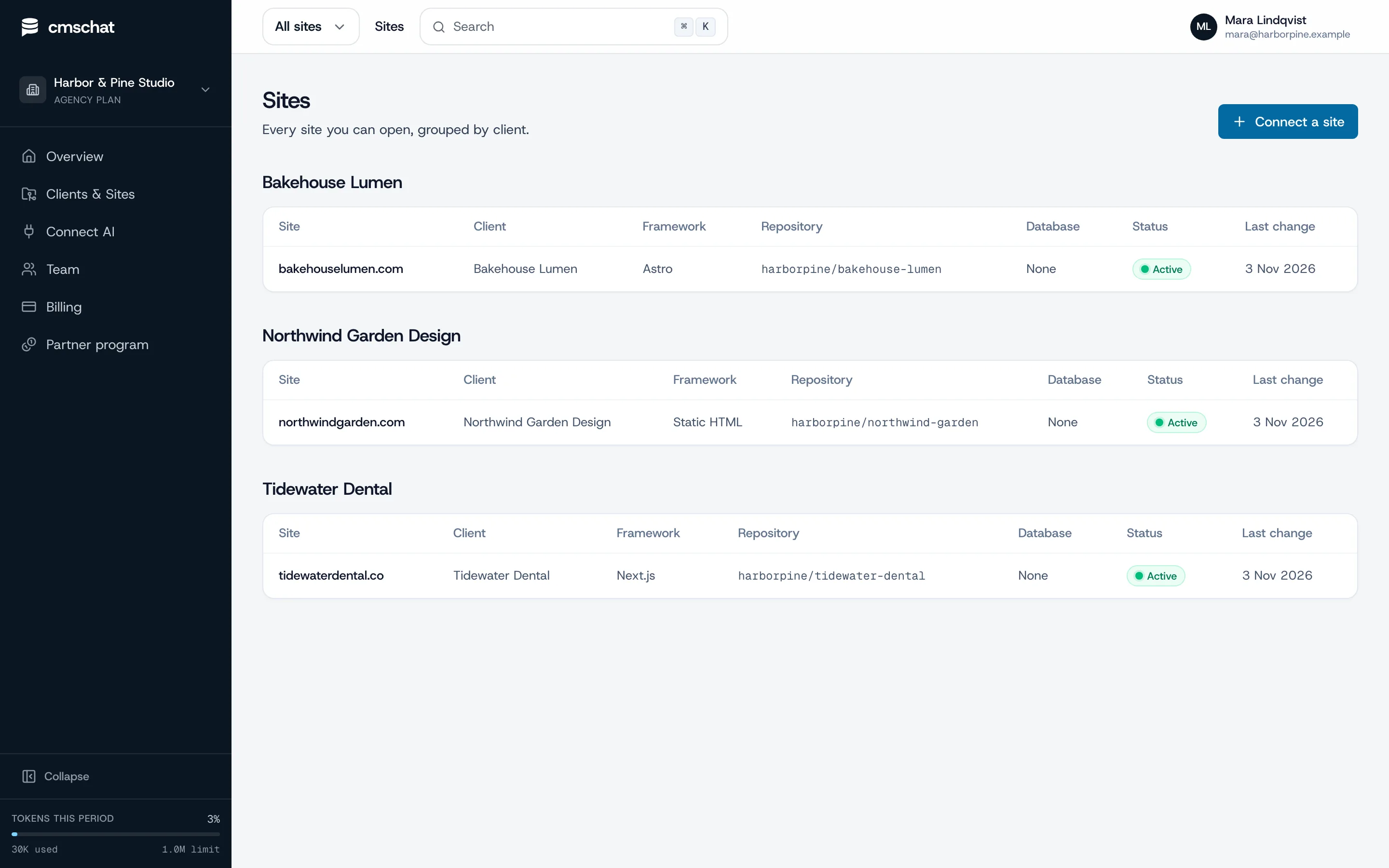
Add the client under Clients and Sites, assign the site and send the invite link. Your client gets a login that shows their site and nothing else: no agency dashboard, no other clients, no settings to break.
- 05
Make the first change together
Ask for one small change while your client watches, for example “Saturday we are open 9 to 14”. They see before and after, the change is committed to the repository, and riskier edits wait for an OK.
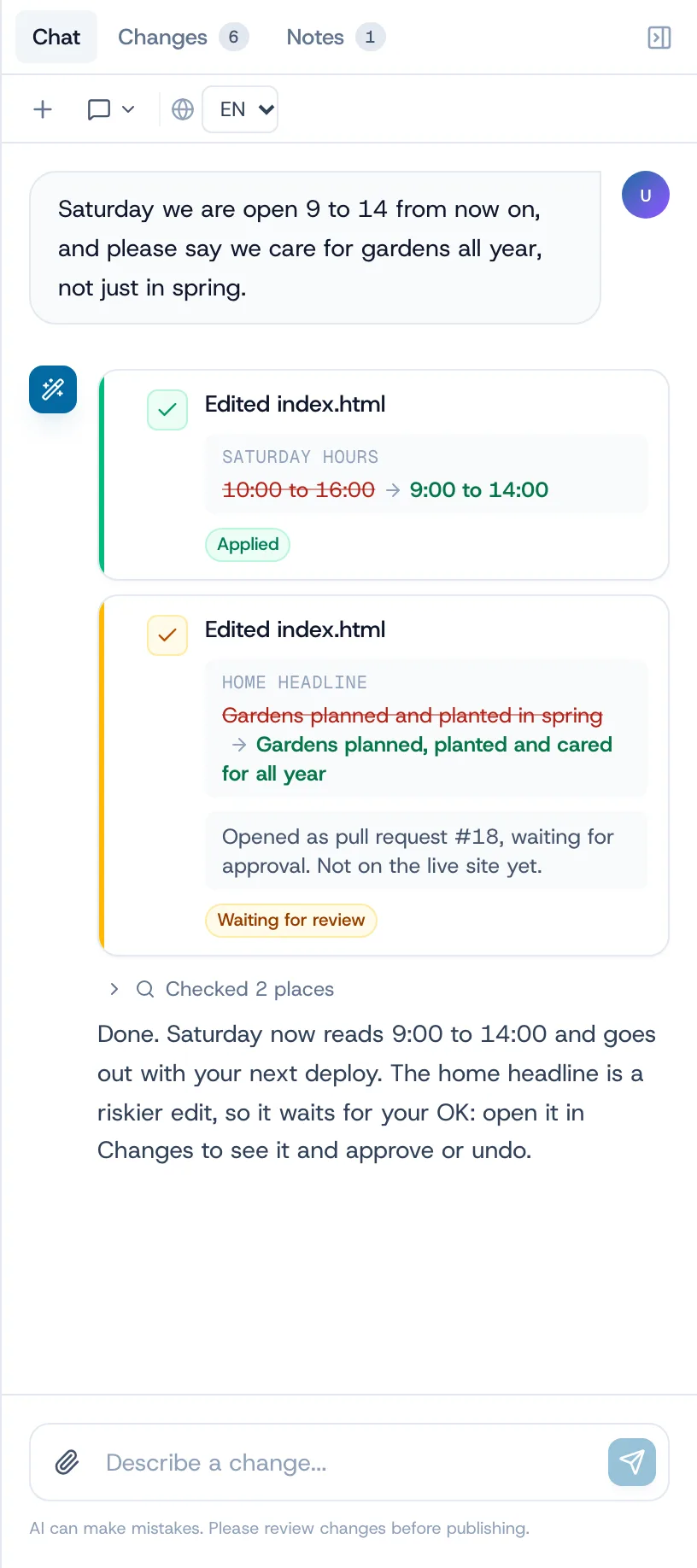
How a change goes live on an Astro site
CMS Chat commits the change to the default branch. Your host (Netlify, Vercel, Cloudflare Pages) builds the site on push as it does for your own commits, and CMS Chat shows the deploy status in the change list when deploy-on-push is set up.
Small fix or agency job
Where the line sits after the handover.
The client handles the small edits on their own plan. Everything that changes how the site works or looks stays with you, as a request you can quote.
Your client, alone, in a sentence
- Headlines and paragraphs in .astro components
- Markdown and MDX pages and blog posts
- Prices, team members, opening hours in JSON or components
- Photos, with alt text
- FAQ answers
Your agency, quoted and built
- New pages, layouts and content collections
- Islands and interactive components
- Integrations, forms and analytics
- A redesign or a new section
- Anything in astro.config, scripts or build settings
What your client sees
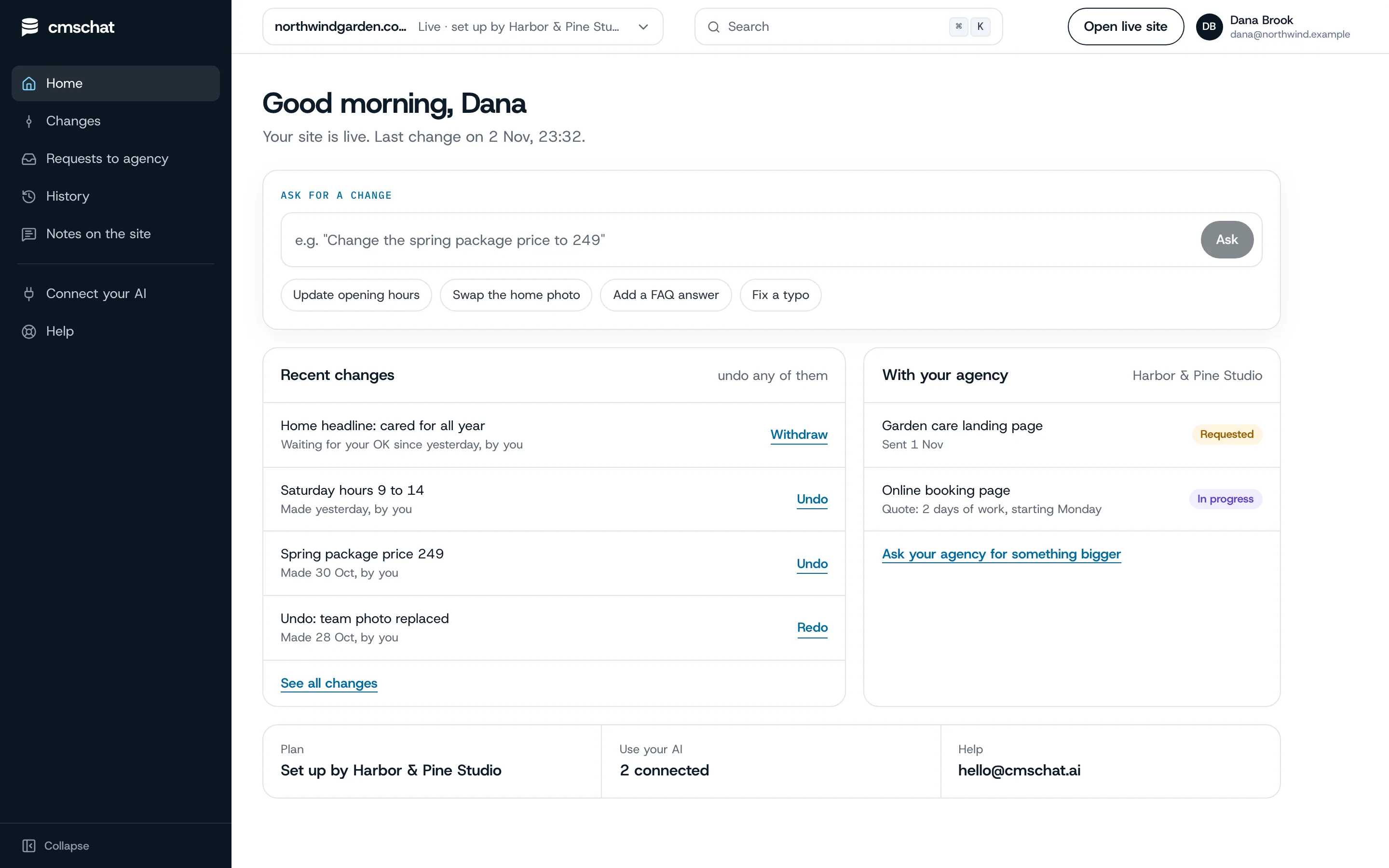
One box to ask. One list to undo.
Your client opens their home, types the change, and sees it in their list of recent changes with an undo. Bigger asks go to you from the same screen.
- Their own login, their site only
- Every change in their history, with an undo
- “Ask your agency for something bigger” on the same page
What you see
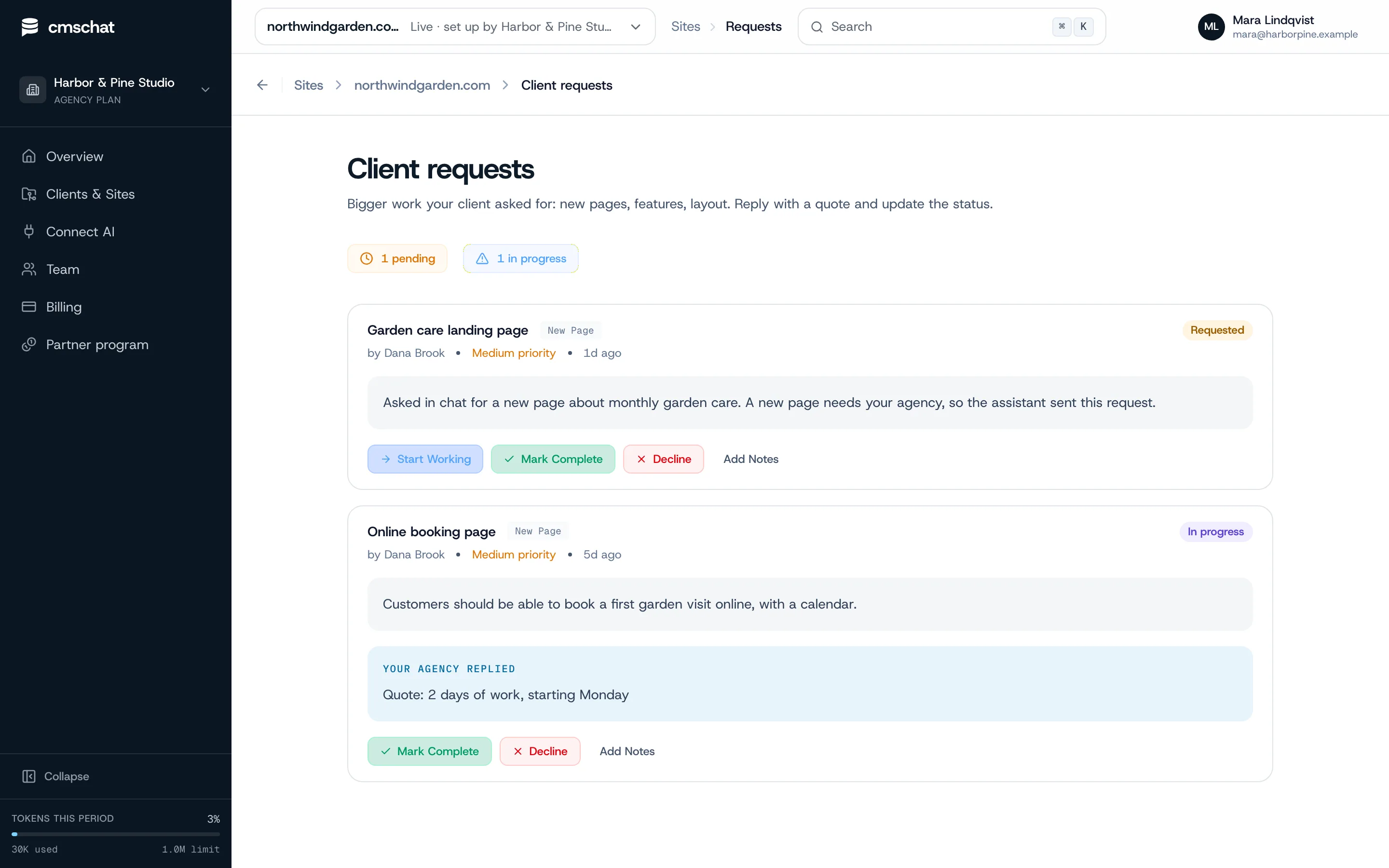
Bigger asks arrive as requests. Ready to quote.
When your client asks for a new page or a booking form, the request lands with you, in their words. You reply with a quote and update the status.
Astro specifics
What goes wrong and how to avoid it.
Frontmatter is data
Dates, slugs and tags in Markdown frontmatter feed your collections. The client may change a title or date; schema fields that break the build stay locked.
Content collection schemas
If you validate collections with a schema, a wrong value fails the build. Mark those files as asks-first so the change waits for an OK.
Text inside components
Text in components edits fine. Text built from props or arrays across several files is easier to keep in one data file before the handover.
Many languages
If the site has several languages, keep each language in its own file. Edits can then be kept in sync across languages on the Growth plan.
Images
Uploaded photos are resized and converted to WebP before they land in the repository. Keep using Astro's image handling in your components as before.
Existing CMS
If the site already reads from a headless CMS, that content keeps being edited there. CMS Chat edits what lives in the repository.
Who pays for what
Clear money, no awkward invoices.
Your client’s editing
Your client picks a plan from the public price list and pays CMS Chat directly, from EUR 29 / month incl. VAT. Same price with or without an agency.
The AI
Your own ChatGPT or Claude: not metered by us. Built-in assistant: a monthly allowance that resets each month.
Your bigger work
New pages, features and redesigns stay between you and your client, quoted and invoiced by you as before.
Questions
Astro handover, asked before
Anything missing: write to hello@cmschat.ai and a person replies.
What is the easiest CMS for an Astro client site?
Do I need to move my content into Markdown?
How is this different from Decap, TinaCMS or CloudCannon?
Can my client break the Astro build?
Who pays for the client's editing?
Other builders
Building sites for clients? See how CMS Chat works for agencies.
Hand it over. Keep the big work.
Connect the repository, invite your client, make the first change together.
month to monthundo any changecode stays in your GitHub
Prefer to see it first? Ask for a walkthrough